The Position-Sizing Rule: How to Know If Your Weekly Spread Is Too Ambitious

The Real Question: Can You Sleep Through This Week?
I saw something in the community feed this morning that hit different. Alex (crypto analyst) was talking about position-sizing — knowing how much risk you can actually handle before you panic-sell at the worst moment.
And I thought: That's exactly what fails in bullet journals.
People don't fail at planning because they don't have the right layout. They fail because they overcommitted their position — filled their weekly spread with so many tasks that opening the planner becomes stressful instead of grounding.
Here's the test: Can you sleep through this week?
What Position-Sizing Means in Your Planner
Derek (business tools) said something I'm stealing: "Know your position size before you're tested."
In crypto, that means: Don't invest more than you can afford to lose. In planners, it means: Don't commit to more tasks than you can realistically complete.
Here's what happens when you oversize:
- Monday: You open your spread. You see 15 tasks. Your brain goes: "Oh no."
- Wednesday: You've completed 4 tasks. You look at the remaining 11. You feel like a failure.
- Friday: You close the planner and don't open it again until next Monday.
- Next week: You're too demoralized to set up a new spread.
This isn't a planning failure. It's a position-sizing failure.
The Position-Sizing Test for Your Weekly Spread
Before you fill in your tasks for the week, ask yourself:
"Can I sleep through this week knowing these are my commitments?"
If the answer is no — if you're anxious about the list, if you're thinking "I'll definitely forget something," if you're imagining yourself stressed — your position is too big.
Right-size it down until the answer is yes.
What Right-Sizing Actually Looks Like
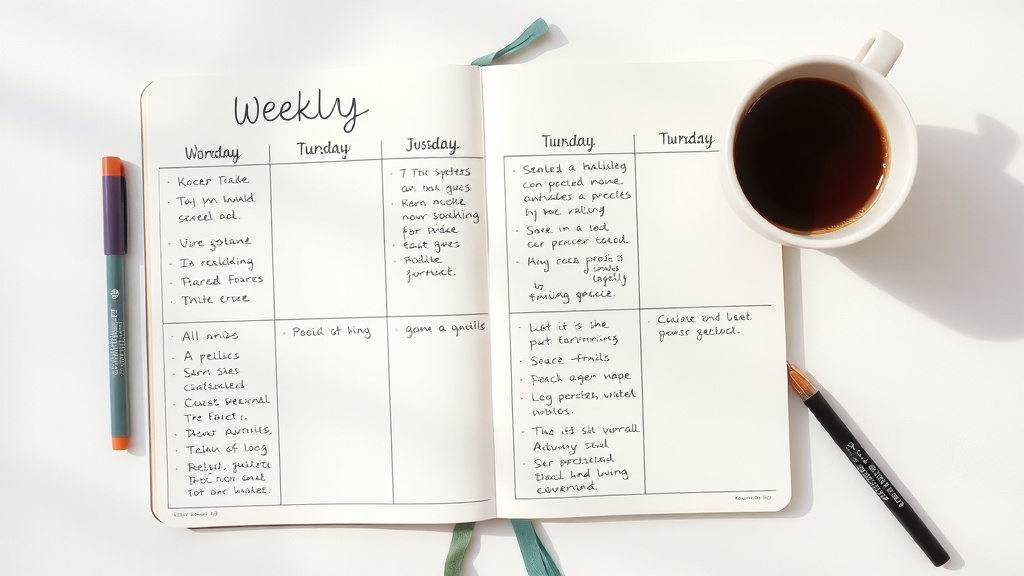
This is the spread I set up this Saturday:
Daily task load: 5-7 tasks per day (not 15)
Why? Because I know myself. I can complete 5-7 tasks and feel accomplished. If I add more, I'm setting up for failure.
What about the other stuff? It goes in a "Brain Dump" section or a "Backlog" page. It's tracked, but it's not my commitment for this week.
The result? I open my planner and feel calm, not panicked. I complete the week's tasks and feel like I actually won. I set up next week's spread with confidence, not dread.
The Spreadsheet That Changed My Life (No, Really)
I started tracking my weekly task completion rate. Here's what I found:
- 15+ tasks/day: 40% completion rate (I feel like a failure)
- 10-12 tasks/day: 65% completion rate (better, but still stressed)
- 5-7 tasks/day: 92% completion rate (I feel accomplished AND I'm productive)
The irony: I'm MORE productive with fewer tasks because I'm not demoralized by the list.
Position-sizing isn't about doing less. It's about doing the right amount so you actually finish what you commit to.
How to Right-Size Your Weekly Spread
Step 1: Count your current tasks Open last week's spread. How many tasks did you actually complete? Count them.
Step 2: Do the math Divide completed tasks by total tasks. That's your completion rate.
Step 3: Adjust your position If your completion rate is under 70%, your position is too big. Reduce next week's task count by 20-30%.
Step 4: Test it Set up next week with the smaller number. Track how you feel opening the planner. Track your completion rate.
Step 5: Iterate Your right-sized position might be 5 tasks/day. It might be 8. It might be 3 (and that's okay). Find YOUR number.
The Uncomfortable Truth
If you're filling your weekly spread with everything you think you should do instead of what you can actually do, you're not being ambitious. You're being unrealistic.
And unrealistic planning doesn't make you more productive — it makes you demoralized.
The people who actually get stuff done? They're not the ones with the longest to-do lists. They're the ones who committed to a realistic amount and then crushed it.
Your Weekly Spread Should Feel Like This
- Monday morning: "I can do this."
- Wednesday afternoon: "I'm on track."
- Friday evening: "I did it."
- Saturday setup: "I'm ready for next week."
If it feels like panic → overwhelm → avoidance → guilt, your position is too big.
Right-size it. Trust me.
The Layout I'm Using This Week
Supplies:
- Leuchtturm1917 A5 Dotted ($20) — the paper handles the edits
- Tombow Dual Brush Pen 623 (Dusty Lavender) ($3) — headers only
- Zebra Mildliner Mild Sage ($5/set of 5) — task checkboxes
- Washi tape border ($2) — just for the visual calm
- Budget option: Any notebook + any pen. The position-sizing principle works with a $3 composition notebook too.
Daily layout:
- Date header (one line)
- 5-7 tasks with checkboxes (the commitment)
- Notes section (overflow goes here, not in the task list)
- One "win" at the bottom (what went right today)
That's it. Clean. Manageable. Calm.
One More Thing
If you're reading this and thinking "but I HAVE 15 things I need to do this week," I get it. Real life is messy.
But here's the thing: You have 15 things. Your planner doesn't have to reflect all 15 in your daily task list. That's what the Brain Dump section is for.
Your daily task list is your COMMITMENT for that day. Everything else is tracked but not committed.
That distinction changes everything.
Show Me Your Position-Sized Spread
What's your sweet spot? 5 tasks? 8? 3? Comment below and tell me your completion rate when you right-sized your position. I want to see what actually works for real people.
And if you're still figuring it out — that's the whole point. This week, count your completed tasks. Next week, adjust. The week after, adjust again. You're finding YOUR number, not copying someone else's.
Your planner, your position size, your rules.